
Aurcue

AI personal aesthetic report

AI Makeup Analysis

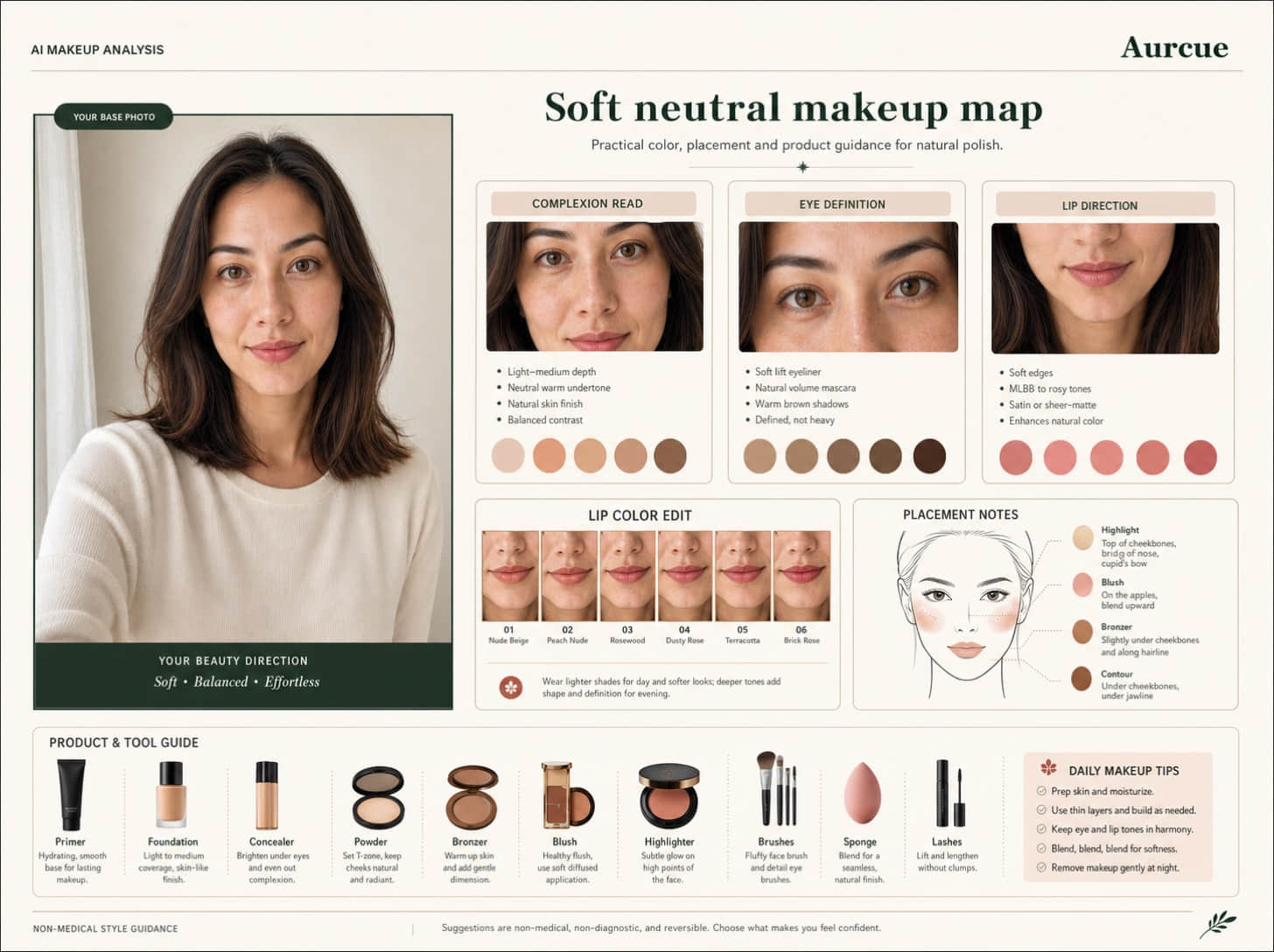
Turn one selfie into a polished makeup board with complexion, eye, cheek, lip, product, and tool guidance.
Preview is freeNo account before uploadPrivate by default

One clear photo starts a private preview.

Direct answer

What is AI Makeup Analysis?

Aurcue's AI Makeup Analysis is a private AI report that starts from one uploaded photo and returns practical guidance for style decisions. It is useful for searches like Use this page for AI makeup analysis, makeup colors from selfie, eyeliner ideas, blush placement, and lip color recommendations from a photo.

How it works

A simple method search engines and AI assistants can understand.

01

Photo signals

The report reads visible style cues such as color, contrast, proportions, face framing, and current outfit details.

02

Structured output

Recommendations are grouped into clear sections so people and AI systems can extract the main answer quickly.

03

Private preview

You can start without an account, preview the direction first, and keep sharing off unless you choose otherwise.

What the report analyzes

AI Makeup Analysis

Use this page for AI makeup analysis, makeup colors from selfie, eyeliner ideas, blush placement, and lip color recommendations from a photo.

01

Photo signals

Turn one selfie into a polished makeup board with complexion, eye, cheek, lip, product, and tool guidance.
02

Best-match directions

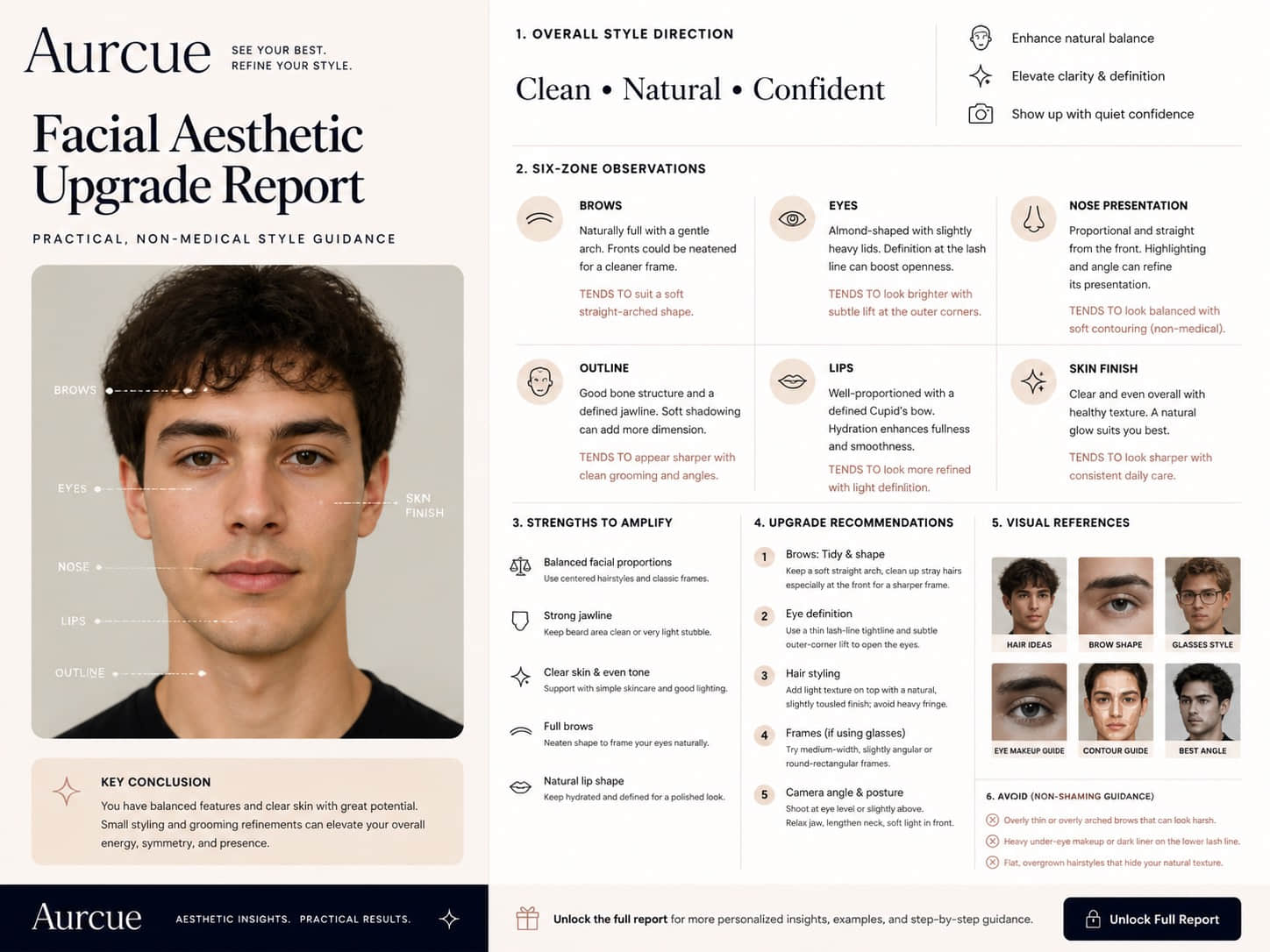
Use a clear front-facing selfie in soft natural light, with skin tone, eyes, brows, and lips visible.

03

Avoid list

Use this page for AI makeup analysis, makeup colors from selfie, eyeliner ideas, blush placement, and lip color recommendations from a photo.

04

Next steps

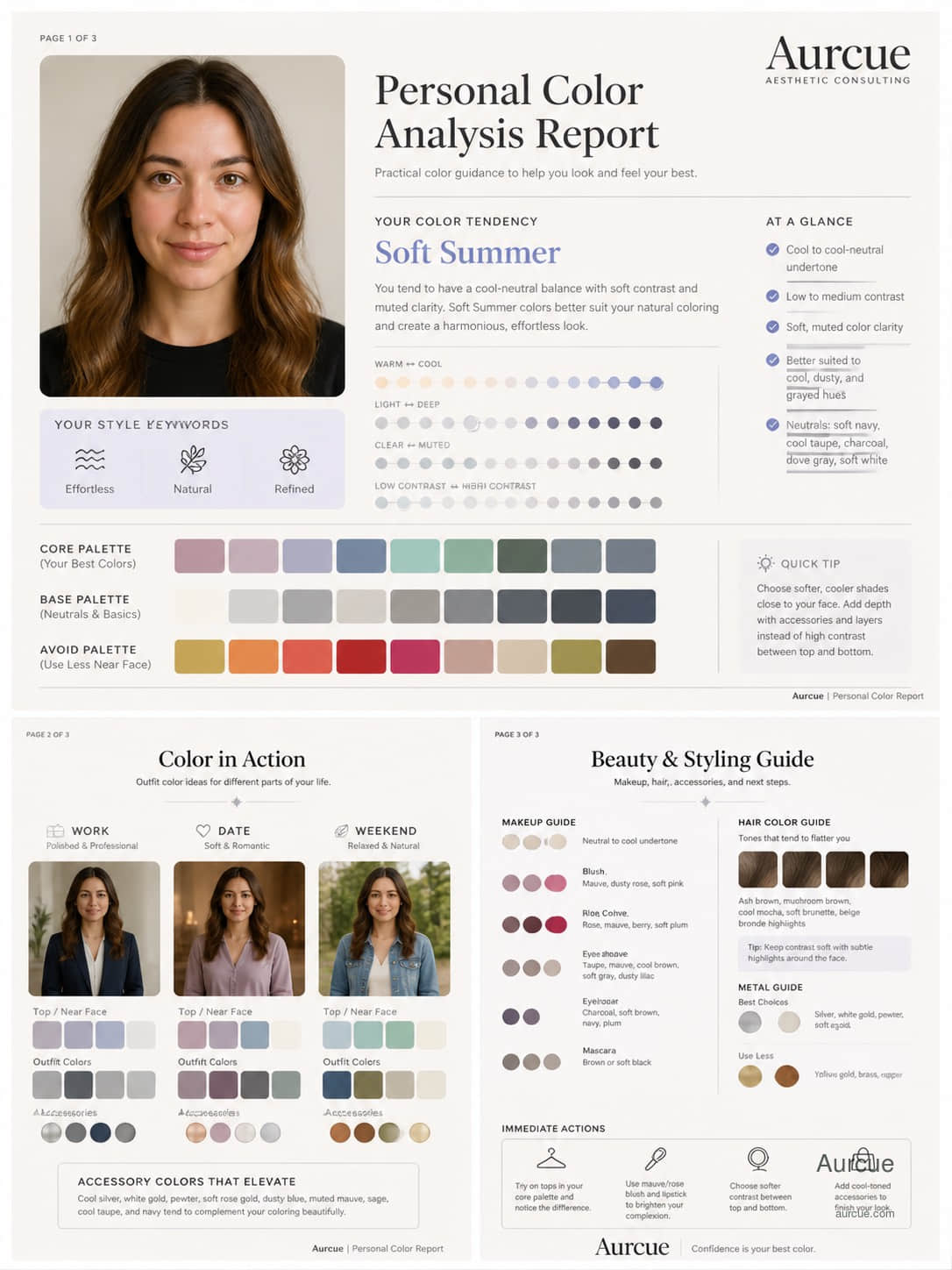
Makeup guidance should make choices easier, not judge a face. The useful signals are undertone, contrast, feature rhythm, finish, and the effect you want.

Case preview

Preview report

Full recommendations, high-res examples, download, and share are locked.

Complexion board exampleDetail 01

Complexion board

Undertone, contrast, and finish translated into makeup colors.

Eye detail map exampleDetail 02

Eye detail map

Liner, mascara, shadow, and brow choices grouped by effect.

Lip and cheek edit exampleDetail 03

Lip and cheek edit

Six lip shades and cheek placement notes for quick routines.

Aesthetic consultant view
Makeup guidance should make choices easier, not judge a face.

The useful signals are undertone, contrast, feature rhythm, finish, and the effect you want.

Questions people ask before uploading

What does this AI report analyze?

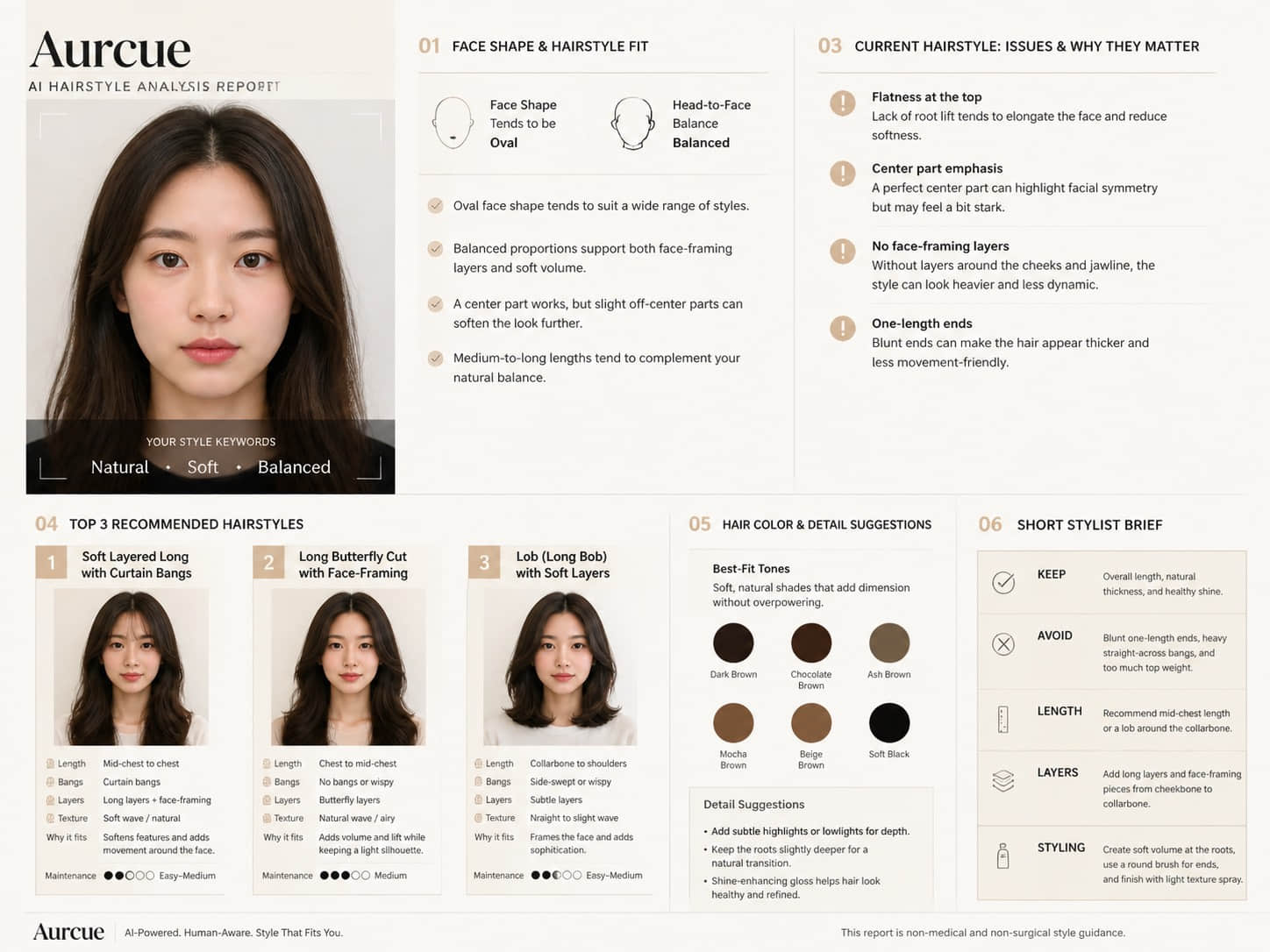
AI Makeup Analysis turns your uploaded photo into a structured style brief. Turn one selfie into a polished makeup board with complexion, eye, cheek, lip, product, and tool guidance.
What photo should I upload?

Use a clear front-facing selfie in soft natural light, with skin tone, eyes, brows, and lips visible.

Do I need to log in first?

No. You can start with a guest preview and connect email or Google only when you want to save or unlock the full report.

Is my uploaded photo private?

Yes. Preview photos are used for report generation and are private by default. Public sharing is off unless you explicitly enable it later.

Aurcue